KS MaterialFlow
A downloadable tool
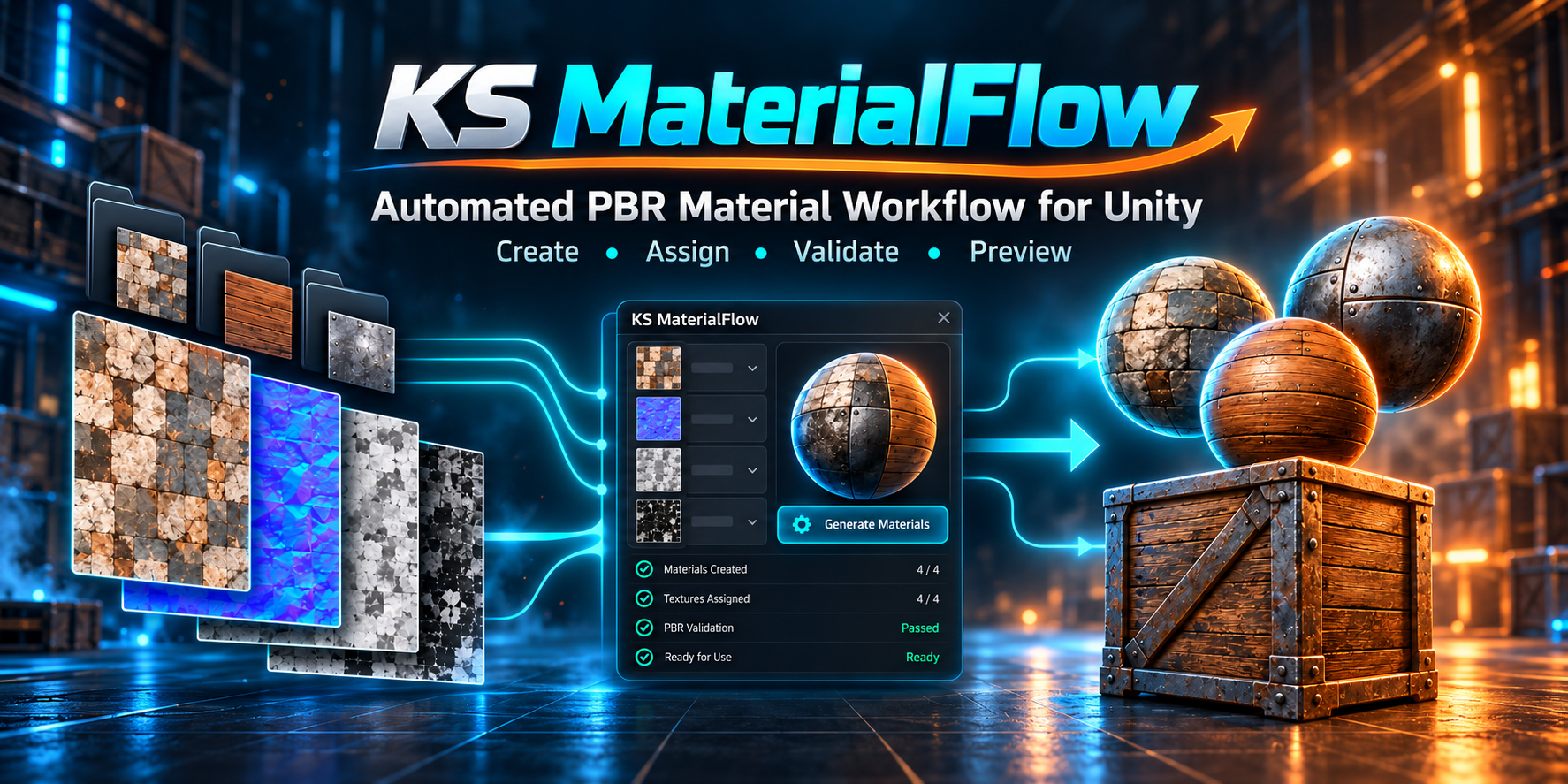
Spend More Time Building.
KS MaterialFlow is a Unity material-production toolkit designed for artists, indie developers, asset creators and anyone working with large texture libraries.
Scan complete texture folders, generate materials in batches, automatically assign them, validate common problems, create polished 3D showcases, process PBR maps and automate repetitive workflows — all directly inside Unity.
Try Something Free First
FREE
STANDALONE
KS Material Showcase Lite
Want to try part of the workflow before buying MaterialFlow?
KS Material Showcase Lite is a completely free standalone Unity tool for quickly turning folders of textures or materials into ready-to-play showcase scenes.
Showcase Lite includes:
- Automatic 4×4 material showcase
- 16 materials per page
- Rotating preview spheres
- Automatic slideshow playback
- Material names and showcase titles
- Previous / Next navigation
- Edit Mode and Play Mode support
- Responsive Game view layout
- Simple base-color material creation from textures
- Optional promotional link
No other Kalponic Studio product is required. Showcase Lite works completely on its own.
It is useful for Asset Store screenshots, itch.io product pages, texture-pack previews, portfolios, trailers and internal material reviews.
Try the showcase workflow free. If you later need the complete material-production workflow, move up to KS MaterialFlow.
KS MaterialFlow — Complete Material Workstation
MaterialFlow takes the workflow much further.
Instead of handling material creation, assignment, validation, PBR processing, presentation and automation through separate tools, MaterialFlow brings them together in one workstation.
Material Production
- Batch material creation
- Automatic PBR texture detection
- Multiple naming presets
- Pipeline-aware material generation
- Dry-run previews
- Safe overwrite / skip workflows
Assignment & Validation
- Automatic material assignment
- Mesh Renderer support
- Skinned Mesh Renderer support
- Confidence-based matching
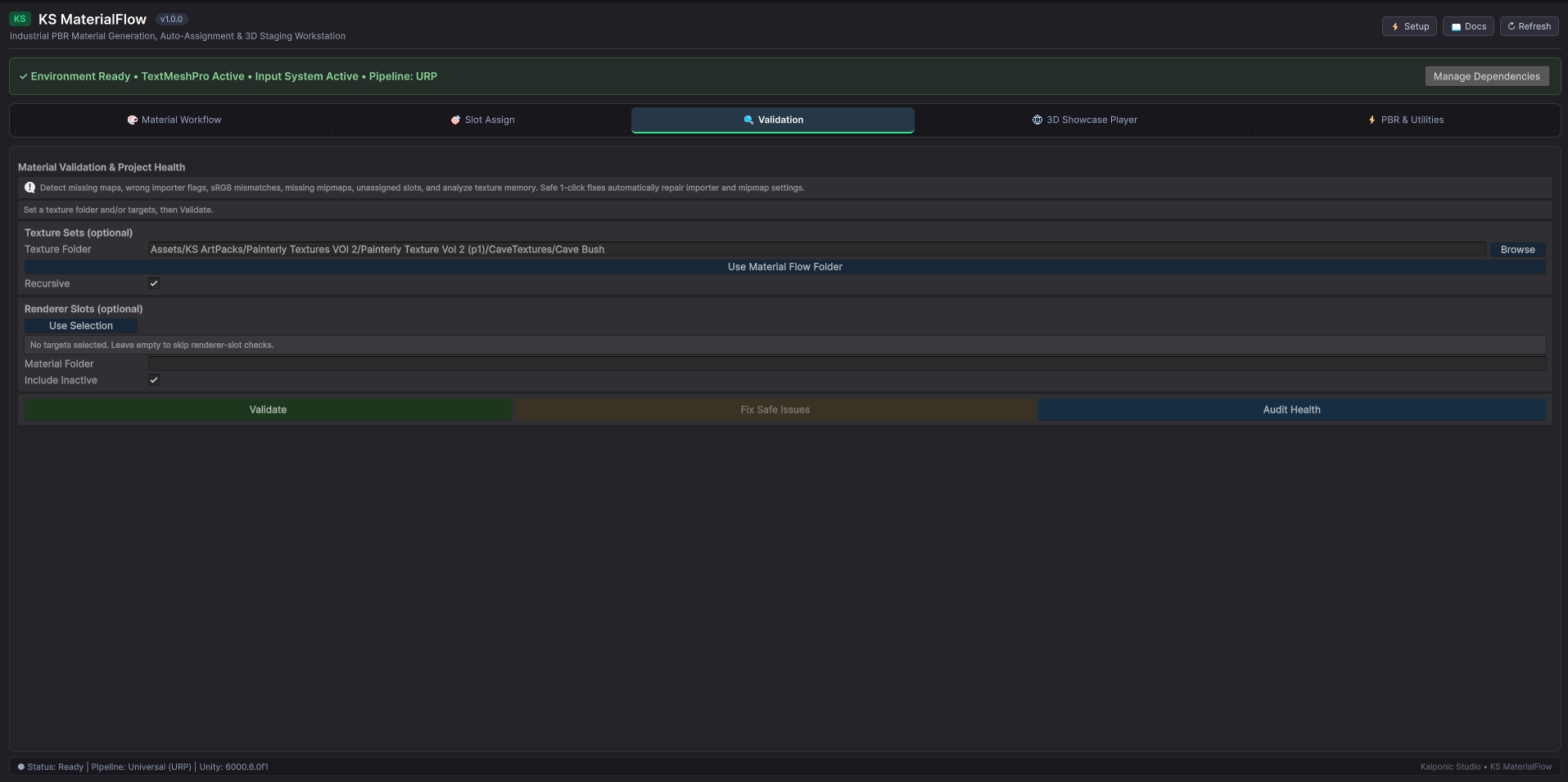
- Material and texture validation
- Safe one-click fixes
- Texture health checks
Showcase & Presentation
- 3D material showcase generator
- Automatic slideshow
- Rotating material previews
- Studio lighting
- Material labels
- Multiple showcase pages
- Background customization
PBR & Texture Processing
- Single-image PBR synthesis
- Channel packing
- ORM support
- Roughness / Smoothness conversion
- Height → Normal
- Normal-map utilities
- Channel extraction
- Texture blending
- Texture analysis
- Histogram inspection
- Texture resizing
- Batch resizing
Automation
- Command-line support
- Unity batchmode
- Structured JSON
- MCP-compatible workflows
- Agent-driven automation
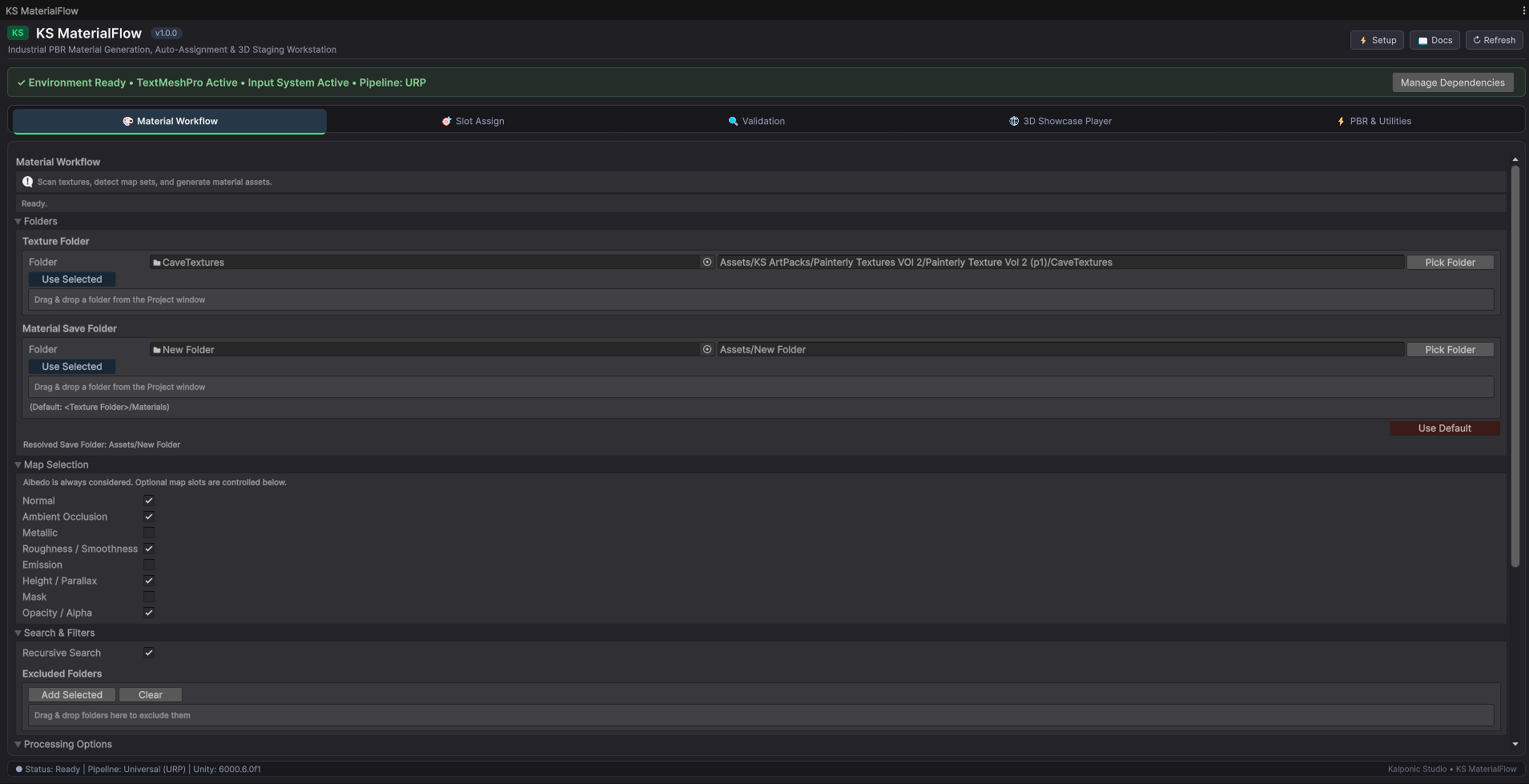
1 — Create Materials
Point MaterialFlow at a folder containing your textures.
MaterialFlow can automatically detect common PBR maps including:
- Base Color / Albedo
- Normal
- Ambient Occlusion
- Metallic
- Roughness / Smoothness
- Height / Displacement
- Emission
- Opacity / Alpha
- Mask / ORM
Matching textures are grouped into material sets and converted into ready-to-use Unity materials.
Supported Naming Presets
- Substance Painter
- Quixel Megascans
- Poly Haven
- ambientCG
- Blender
- Unreal ORM
- Generic PBR
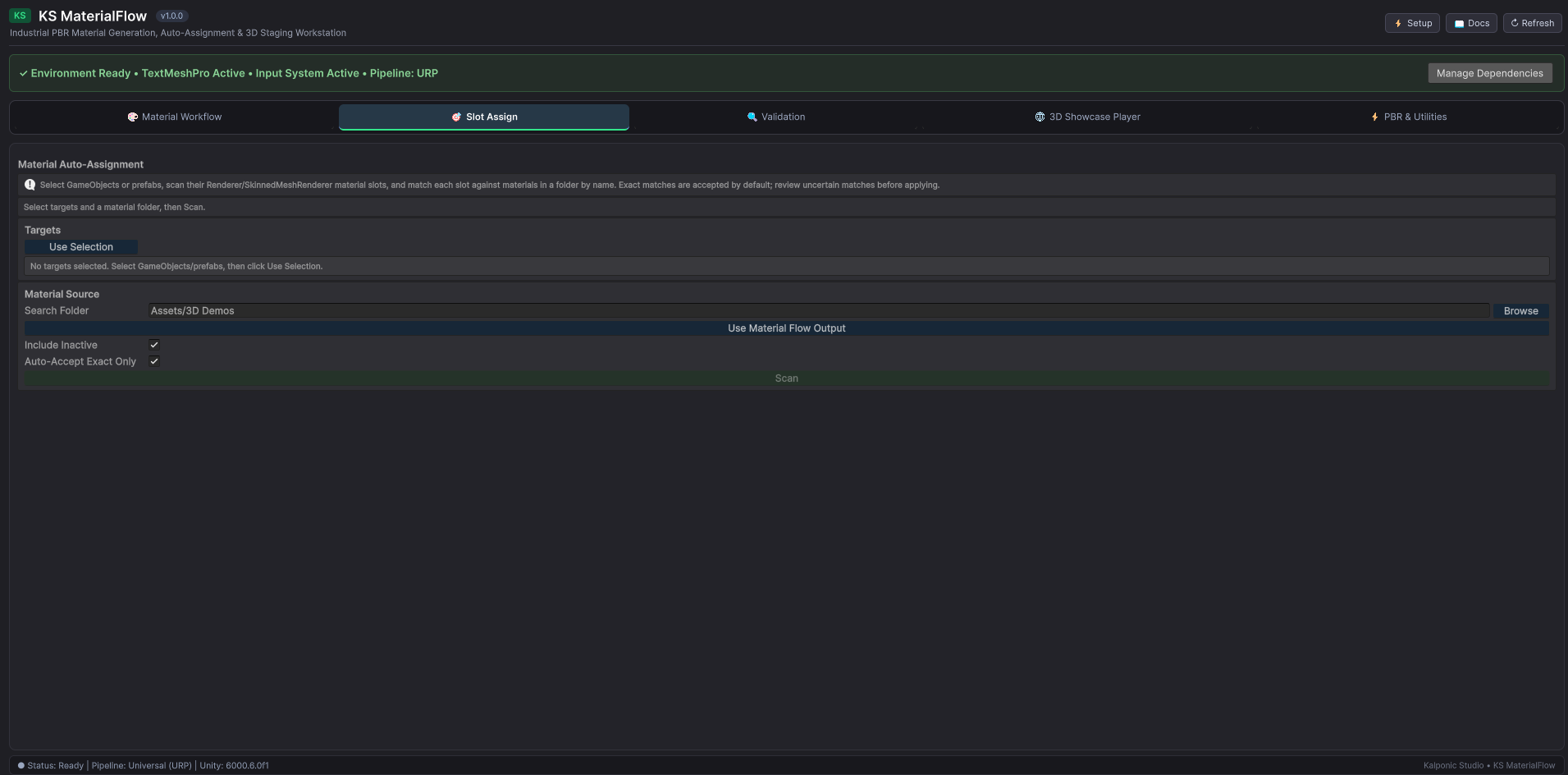
2 — Assign Materials
Creating materials is only half the job.
MaterialFlow can help match existing or generated materials to:
- Scene objects
- Prefabs
- Hierarchies
- Mesh Renderers
- Skinned Mesh Renderers
- Multi-material objects
Matching uses renderer names, material slots, submesh information, naming cleanup and confidence scoring.
3 — Validate Your Assets
Large material libraries can hide small problems.
MaterialFlow can check for:
- Missing texture maps
- Incorrect Normal Map import settings
- Incorrect sRGB / Linear settings
- Resolution mismatches
- Non-power-of-two textures
- Empty material slots
- Missing references
- Missing mipmaps
- Oversized textures
- Texture-memory concerns
4 — Build 3D Material Showcases
Need to present a large collection of materials?
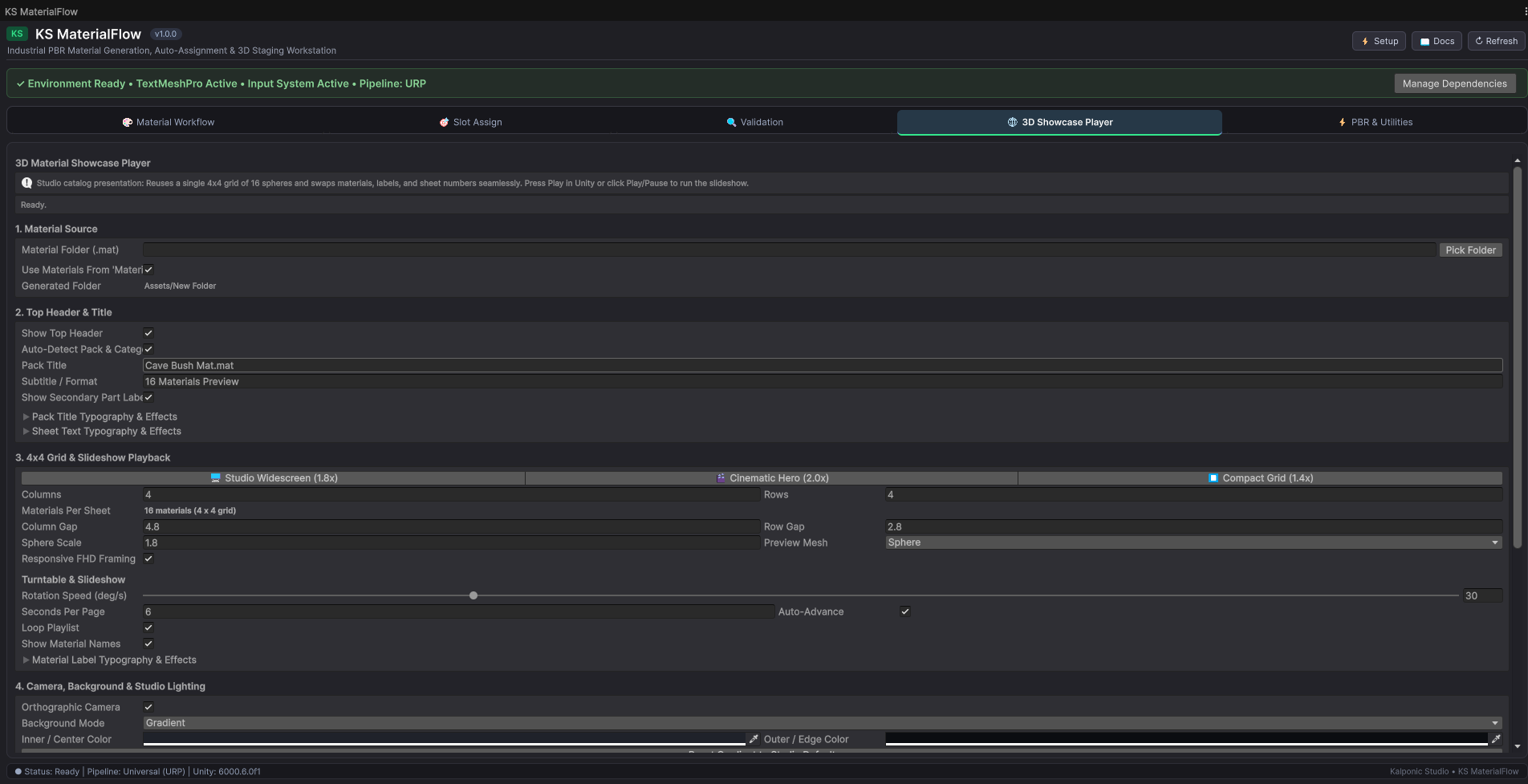
MaterialFlow can build a ready-to-play showcase scene from your existing Unity materials.
Showcase Features
- 4×4 material grid
- 16 materials per sheet
- Automatic slideshow playback
- Rotating material spheres
- Studio lighting
- Orthographic presentation camera
- Material labels
- TextMeshPro styling
- Automatic sheet numbering
- Adjustable timing
- Optional looping
- Play Mode controls
- Background customization
Useful For
- Unity Asset Store screenshots
- itch.io presentations
- Texture-pack videos
- Material catalog previews
- Portfolio showcases
- Internal material reviews
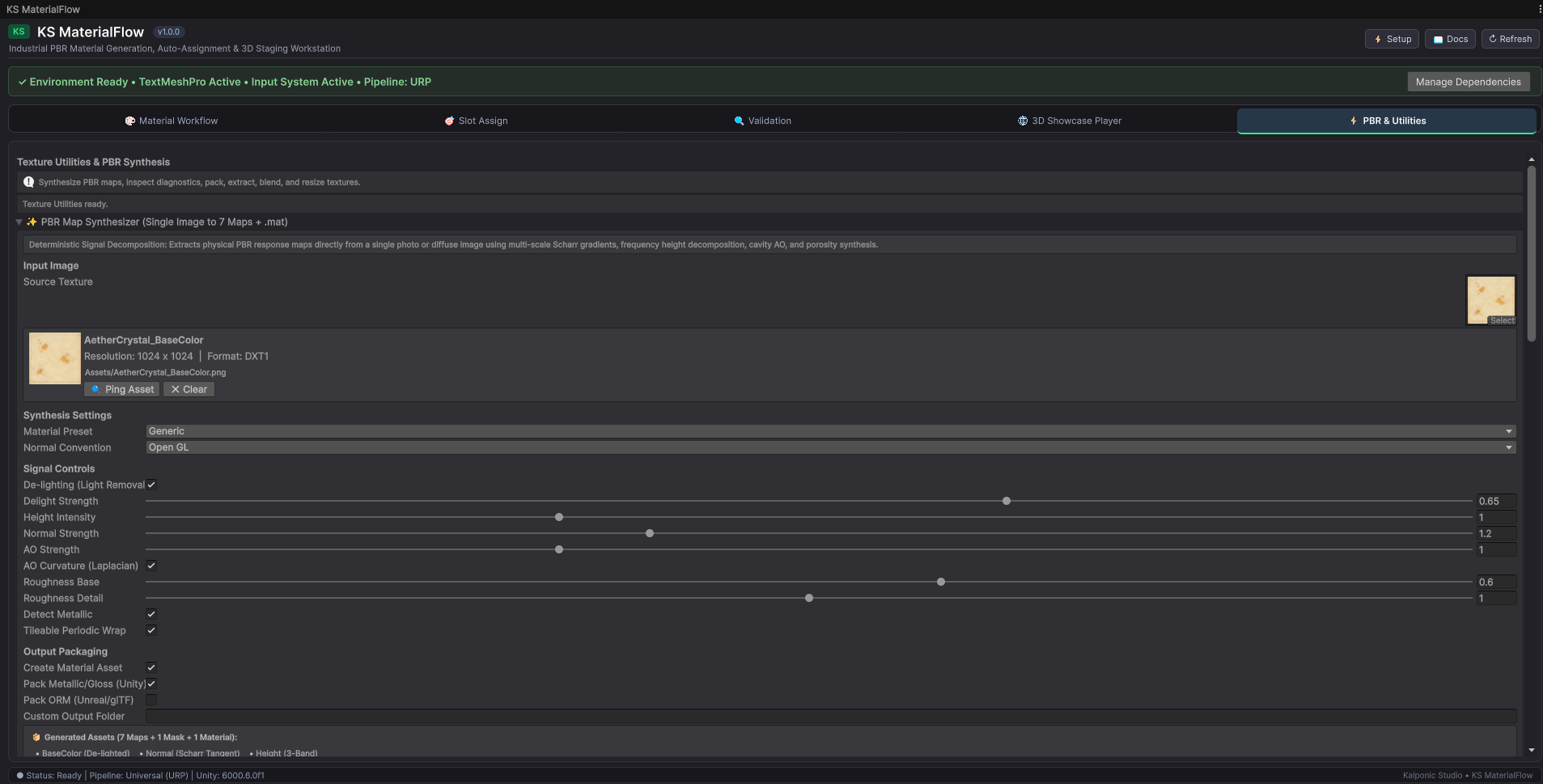
5 — Single-Image PBR Synthesis
Have one source image but need a PBR starting point?
MaterialFlow can generate supporting PBR maps from a single source image.
Generated Outputs Can Include
- Base Color
- Normal
- Height
- Ambient Occlusion
- Roughness
- Smoothness
- Metallic
- Packed masks
Surface Presets
- Generic
- Stone
- Brick
- Wood
- Tile
- Concrete
- Metal
- Fabric
The PBR synthesis system does not require an external AI model or cloud subscription.
6 — PBR & Texture Utilities
Texture Diagnostics
Inspect image data using:
- Luminance
- Red channel
- Green channel
- Blue channel
- Alpha channel
- Histogram graphs
- Minimum / maximum values
- Average values
- Texture dimensions
- Texture format
Channel Packing
Combine individual texture channels into packed maps for workflows such as:
- Unity Metallic / Smoothness
- ORM
- Mask maps
- Custom packed textures
Roughness ↔ Smoothness
Quickly convert roughness into smoothness, or smoothness back into roughness, without leaving Unity.
Channel Extraction
Extract individual grayscale channels:
- Red
- Green
- Blue
- Alpha
Normal Map Tools
- Height → Normal
- DirectX ↔ OpenGL conversion
- Flip Green channel
- Blur / smooth normals
- Blend normal maps
Texture Blending
- Alpha Blend
- Additive
- Multiply
- Normal-map blending
Resize Tools
- Single texture resize
- Batch resizing
- Aspect-ratio preservation
- Power-of-two conversion
Project Health & Optimization
MaterialFlow can inspect your texture library and help identify:
- Oversized textures
- Uncompressed textures
- Missing mipmaps
- NPOT textures
- Potential texture-memory savings
This can be particularly useful when preparing larger projects or targeting different hardware.
Automation & Agent-Ready Workflows
MaterialFlow does not stop at the Unity Editor interface.
The same deterministic operations can also be accessed through automation.
Supported Workflows
- Unity Editor UI
- Batch processing
- Command line
- Unity batchmode
- Structured JSON
- MCP-compatible automation
- Agent-driven workflows
A compatible AI coding agent or automation system can drive MaterialFlow operations without requiring a separate implementation of the material tools.
MaterialFlow also includes an Agent & Automation Manual covering available actions, CLI workflows, MCP integration and example prompts.
Core operations are handled by MaterialFlow's deterministic C# engine.
Why MaterialFlow?
- Process large texture collections
- Reduce repetitive material assignment
- Catch common setup problems
- Build professional showcase scenes
- Keep common texture utilities nearby
- Work with large material libraries
- Automate repeatable workflows
- Keep production moving
Compatibility
Designed for Unity 6 workflows.
Render Pipelines
- Built-in Render Pipeline
- Universal Render Pipeline — URP
- High Definition Render Pipeline — HDRP
Tested Unity Versions
- Unity 6.3 LTS
- Unity 6.5
- Unity 6.6
Support & Updates
If you encounter a problem, please include:
- Your Unity version
- Your render pipeline
- What you were trying to do
- Relevant Console errors
- Steps to reproduce the issue, when possible
Confirmed issues will be investigated and fixed where practical.
Feedback and bug reports are always welcome.
License
You May
- Use MaterialFlow for personal projects
- Use MaterialFlow for commercial projects
- Use generated and processed materials in your projects
- Modify generated output for your own work
You May Not
- Redistribute KS MaterialFlow itself
- Resell KS MaterialFlow itself
- Redistribute the package as part of another asset collection
Start Free — Upgrade When You Need More
KS Material Showcase Lite
Start with the free showcase tool.
Point it at a folder of textures or materials and quickly build a ready-to-play material presentation inside Unity.
No MaterialFlow purchase required.
KS MaterialFlow
Need the complete production workflow?
Build materials faster. Keep the repetitive work out of your way.
More Unity tools, assets and texture collections are coming.
Kind regards,
Jony — Kalponic Studio
Download
Click download now to get access to the following files:
Leave a comment
Log in with itch.io to leave a comment.